Original: $54.00
-70%$54.00
$16.20The Story
Compatible Model - HP LaserJet P1566 - P 1606DN - M1536dnf - 1606DN
HP 1505 - 1566 - 1606 - 1536
Canon Image CLASS MF 4550D - MF 4570DN - MF 4570DW - MF 4770 - MF 4820D - MF 4870DN - MF 4890DN - LBP151DW - LBP 151 DW - MF221 - MF222 - MF223 - MF224 - MF226 - MF244 - MF247 - MF249 - MF227 - MF229 - LBP6200D - LBP6230DN
Canon image CLASS MF227dw - 227dw - MF229dw - 221D - MF232w - 232W - 237FW
Canon image CLASS MF236n - 236N - MF244dw - 241D - 244dw -
Canon Image Class MF247dw - 247DW - MF246DN - MF 246DN - MF249 dw - 249DW
Compatible Model - Canon Image CLASS MF221D / MF226DN / MF229DN / MF235DW / MF237DW / MF241D / MF244DW / MF247DW / MF249DW
Canon Image CLASS MF 221D / MF 226DN / MF 229DN / MF 235DW / MF 237DW / MF 241D / MF 244DW / MF 246DN / MF 247DW / MF 249DW / LBP6200 / LBP6230
Canon Image CLASS 4410 - 4412 - 4420 - 4720 - 4750 - 4570 - 4820 - 4870 - 4890 - 212 - 215 - 217 - 221 - 226 - 229 - 232 - 235 - 237 - 241 - 244 - 246 - 247 - 249
Compatible Model - Canon image CLASS MF4410 - MF4450 - MF4570 - MF4430 - Canon image CLASS MF4550 - MF4580 - MF4583 - MF4554 - MF4553 - MF4453
Canon image CLASS MF4452 - MF4420 - MF4412 - MF4730 - MF4750 - MF4890DW
Canon image CLASS MF4870DN - MF4780 - MF4830 - MF4820D - MF4770N
Canon image CLASS MF4720W - MF 4710 - MF4880
Canon MF4410 - MF4412 - MF4420 - MF4450 - MF4720 - MF4750 - MF4820 - MF4570 - MF4870 - MF4890 - LBP6200 - LBP6230
Canon 4410 - 4412 - 4420 - 4450 - 4720 - 4750 - 4820 - 4870 - 4890 - 4550 - 4570 - 4770 - 6200 - 6230
Compatible Model - HP LaserJet P1566 - P 1606DN - M1536DNF
HP P 1566 - P1606 - 1606 - M1536 - 1536
Canon 6200 - 6230 - 4410 - 4412 - 4450 - 4720 - 4750 - 4570 - 4820 - 215 -217 - 221 - 226 -232 - 235 - 237 - 241 - 244 - 249 - 151
Canon LBP 6200d - LBP6230dn - MF 4410 - MF 4412 - MF 4420 - D 520 - MF 4570 - MF 4720 - MF 4750 - MF 4820D - MF 217 - MF 221D - MF 226DN- MF 229 - MF 232 - MF 237 - MF 241D - MF 244DW - MF 247DW - MF 249DW - LBP151dw - LBP 151dw - LBP 151 - LBP151
Compatible Model - Canon image CLASS MF212w - MF215- MF216n
Canon image CLASS MF217w - 217 - MF221D - MF227dw - MF226DN
Canon image CLASS MF229dw - MF232w - MF235 - MF237W
Canon image CLASS MF236n - 236N - MF241D - MF 244dw - 244DW - MF246DN
Canon image CLASS MF247dw - 247DW - MF249dw - 249DW
Canon Image CLASS MF 212 - 215 - 217 - 221 - 226 - 229 - 232 - 235 - 237 - 241 - 244 - 246 - 247 - 249
Canon MF 210 / 211 / 212 / 215 / 216 / 217 / 220 / 221 / 222 / 223 / 224 / 225 / 226
Compatible Model - HP LaserJet P 1566 - P 1606DN - M 1536dnf - 1606DN
HP 1566 - 1606 - 1536
Canon LBP6200d - 6200d - 6200 - 6230dn - 6230
Canon LBP151dw - 151dw - 151
Canon Image CLASS MF 4550D - MF 4570DN - MF 4570DW - MF 4820D - MF 4870DN - MF 4890DN - LBP 151DW - LBP 151 DW - MF221 - MF222 - MF223 - MF224 - MF226 - MF244 - MF247 - MF249 - MF227 - MF229
Canon image CLASS MF 227 dw - 227dw - 236 n - 236N - 244 dw - 241D - 244dw
Canon image CLASS MF 229 dw - 221D - MF 232 w - 232W - 237FW
Canon image CLASS MF 247 dw - 247DW - MF246DN - MF 246DN - 249 dw - 249DW
Compatible Model - Canon Image CLASS MF221D / MF226DN / MF229DN / MF235DW / MF237DW / MF241D / MF244DW / MF247DW / MF249DW
Canon Image CLASS MF 221D / MF 226DN / MF 229DN / MF 235DW / MF 237DW / MF 241D / MF 244DW / MF 247DW / MF 249DW
Canon Image CLASS 4410 - 4412 - 4420 - 4720 - 4750 - 4570 - 4820 - 4870 - 4890 - 212 - 215 - 217 - 221 - 226 - 229 - 232 - 235 - 237 - 241 - 244 - 247 - 249
Compatible Model - Canon image CLASS MF 4410 - MF 4450 - MF 4570 - MF 4430
Canon image CLASS MF 4550 - MF 4580 - MF 4583 - MF 4554 - MF 4553 - MF 4453
Canon image CLASS MF 4452 - MF 4420 - MF 4412 - MF 4730 - MF 4750 - 4890DW
Canon image CLASS MF 4870DN - MF 4780 - MF 4830 - MF 4820D - MF 4770N
Canon image CLASS MF 4720W - MF 4710 - MF 4880 - MF4412 - MF4420 - MF4450 - MF4720 - MF4750 - MF4820 - MF4570 - MF4870 - MF4890
Canon 4410 - 4412 - 4420 - 4450 - 4720 - 4750 - 4820 - 4870 - 4890 - 4550 - 4570 - 4770
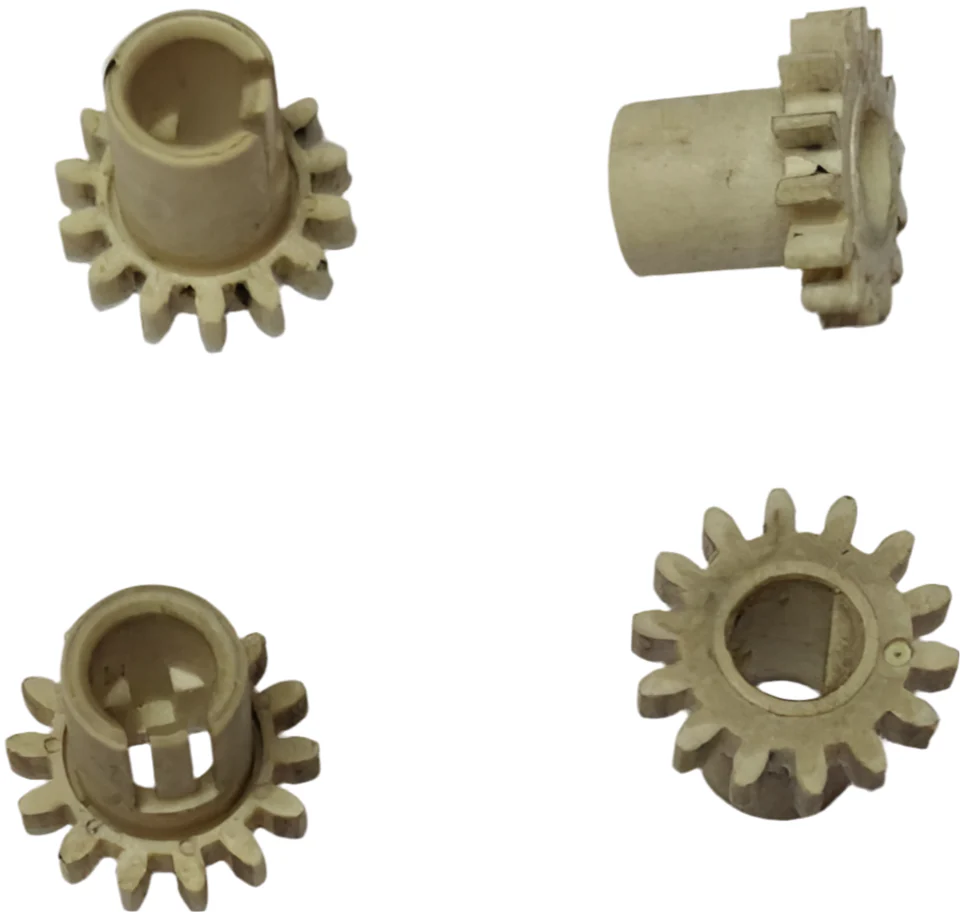
The "Transmission Gears" of Your Printer
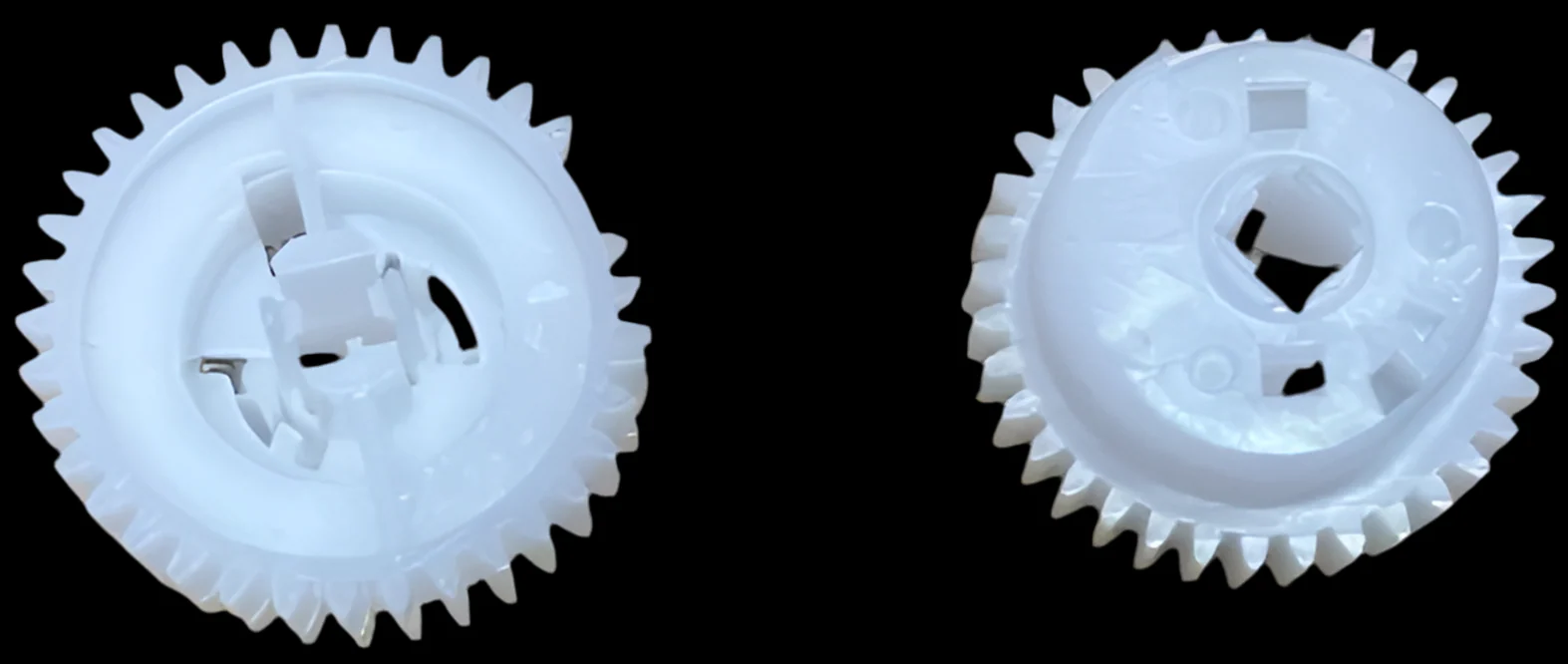
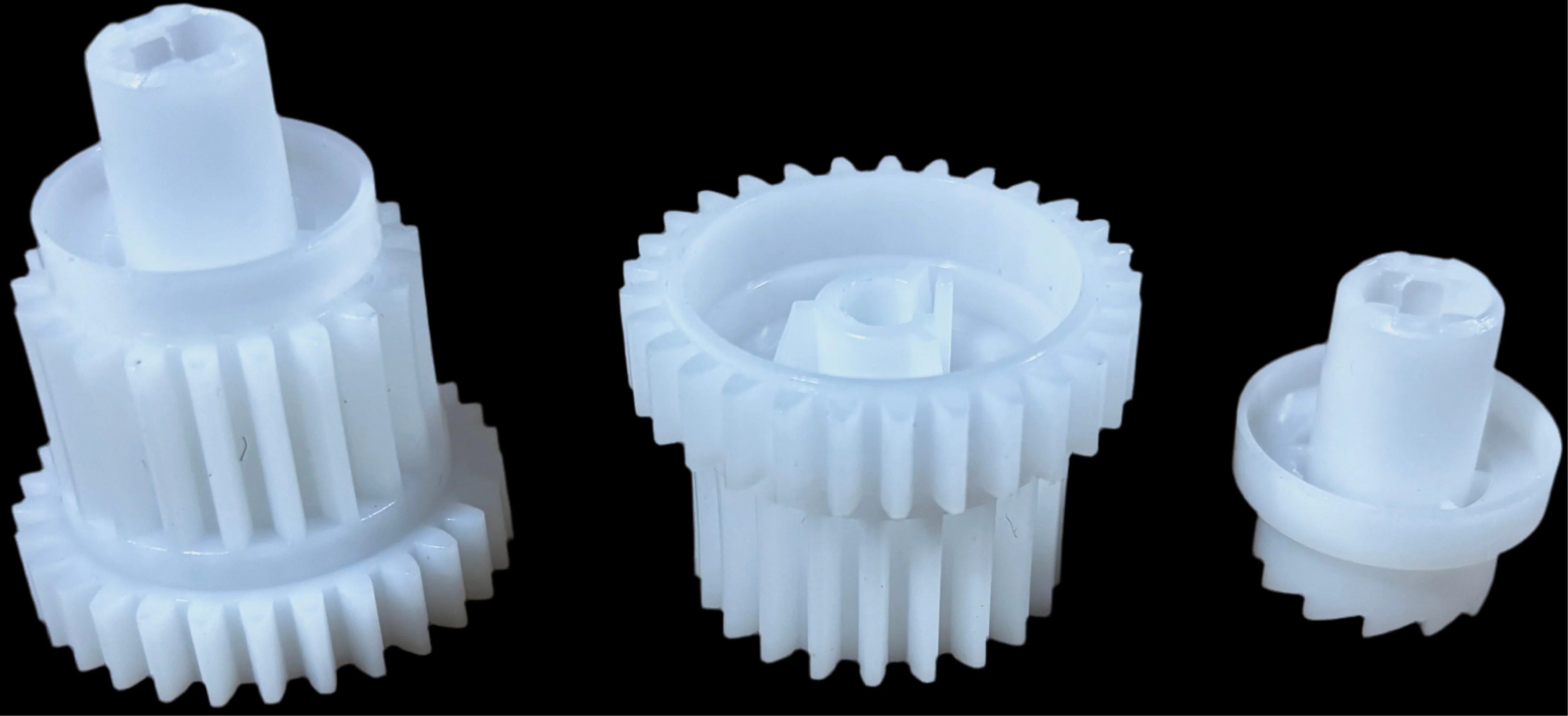
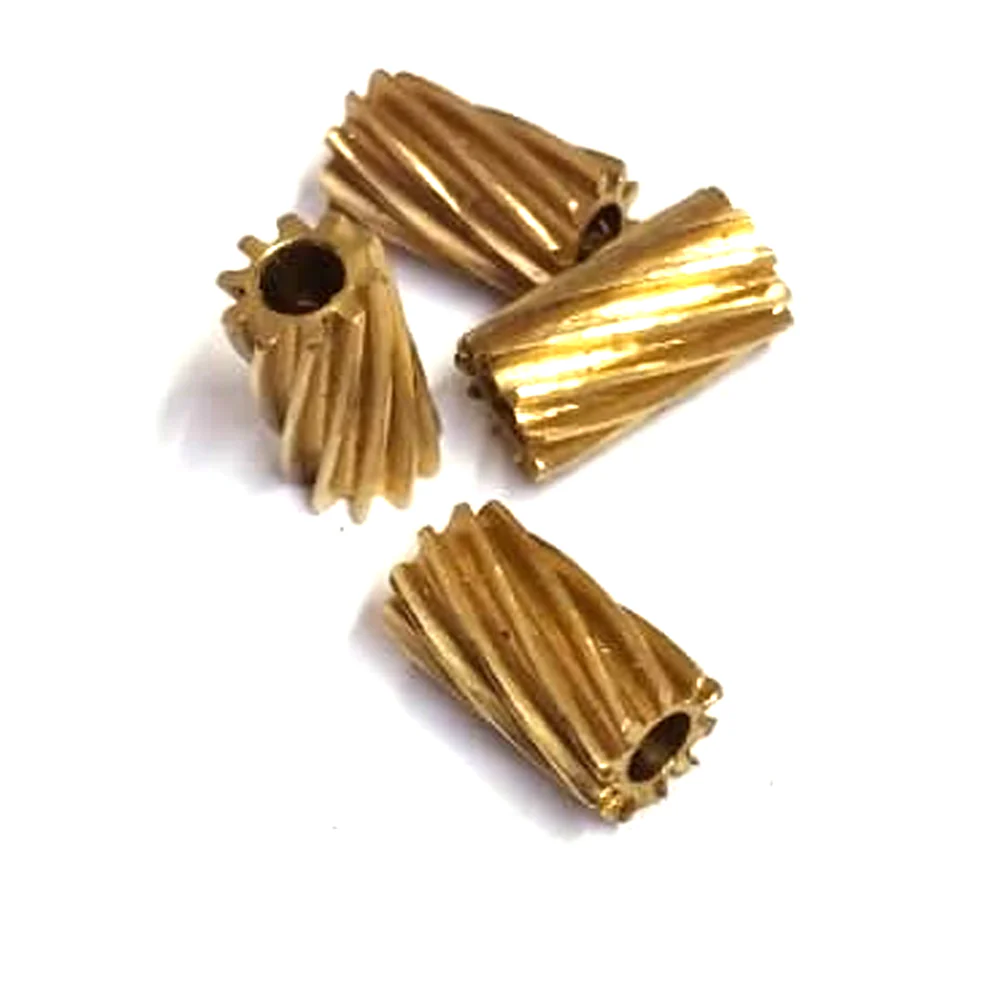
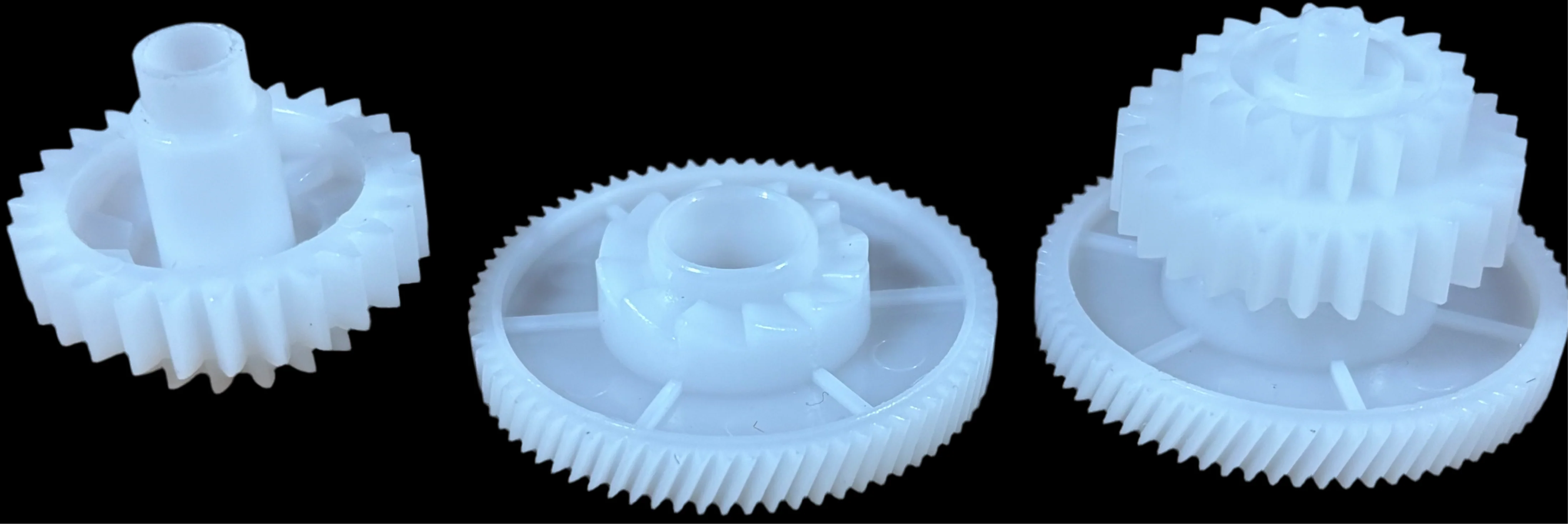
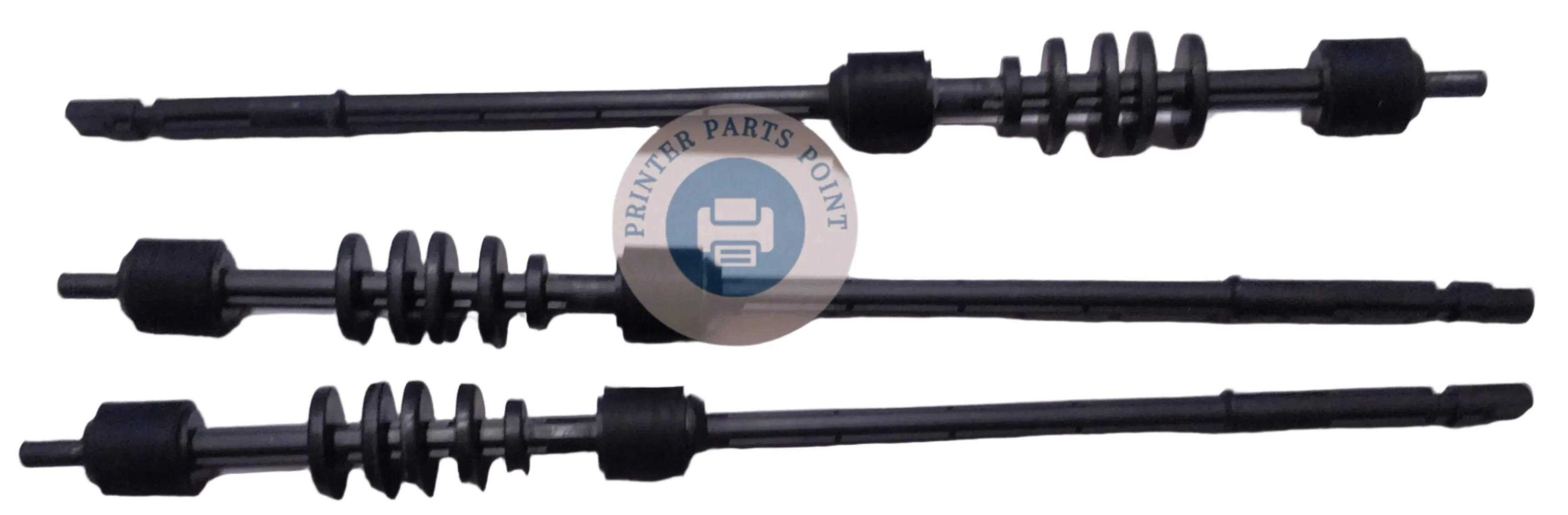
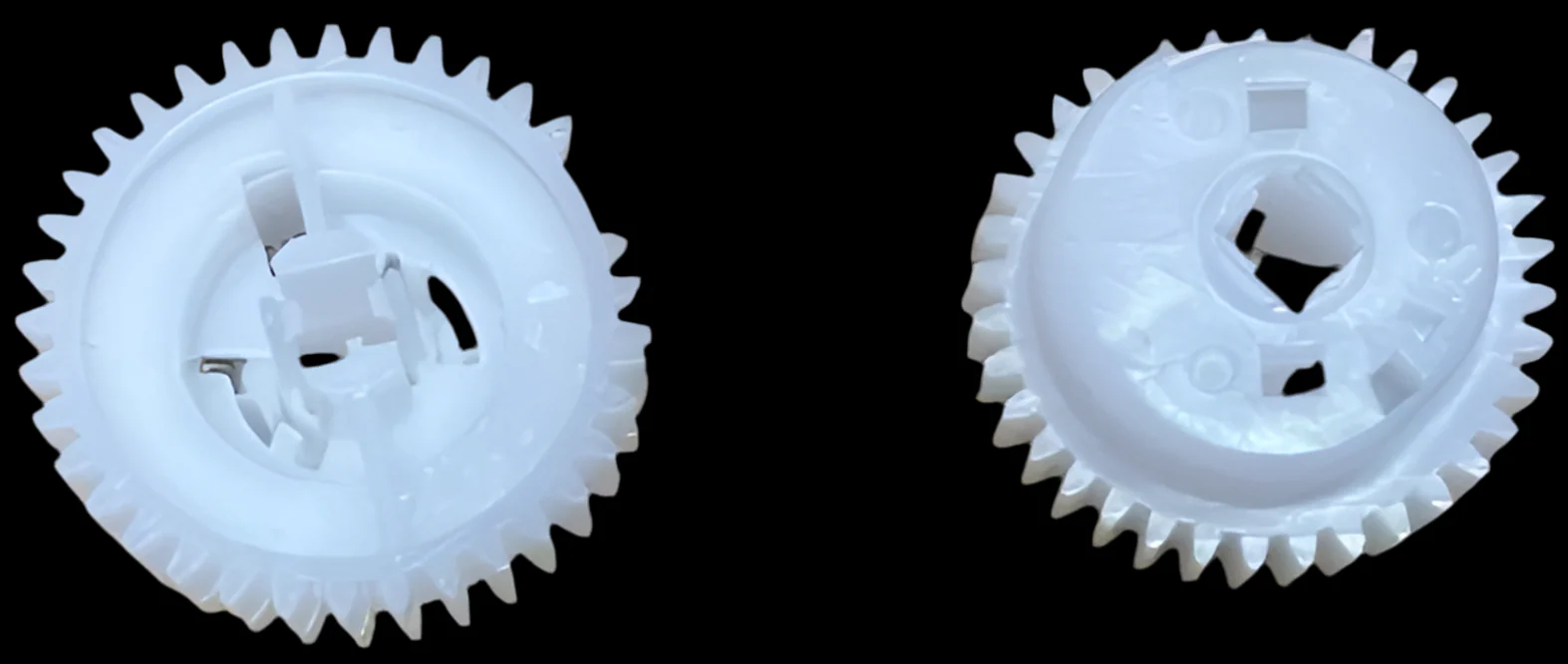
When you click "Print" on your computer, the printer's main motor transfers its rotating power through a precise train of plastic teeth. These gears lock into each other to drive the pickup rollers and separation rollers at the exact micro-second required to lift and feed a single sheet of paper straight into the machine. If this assembly or even one tooth on these gears is worn out, broken, or misaligned, your printer cannot lift the paper, resulting in constant feeding errors.
What It Does (In Simple Words)
This unit uses a precise combination of gears, driving wheels, and timing sequences to control the paper flow. This genuine technical internal layout is strictly mapped to the imported inventory records of printerpartspoint.com: Common Signs Your Paper Pickup Drive Gear Needs Replacing
Since this assembly handles heavy friction and mechanical movement for thousands of pages, the plastic Paper Pickup Gear crack and wear down over time. Customers look for a replacement when facing these symptoms:
- Continuous "Paper Jam" Errors: The paper tray rollers stay completely still because the Paper Feeder Gear train is broken, causing the paper to get stuck right at the beginning of the tray.
- "No Paper Found" Warning: Your tray is full of paper, but the printer keeps saying "Load Paper" or "Tray Empty" because the stripped teeth on the Feeder Drive Gear fail to turn the roller.
- Skewed, Crooked, or Torn Pages: If a Double Gear has a hairline crack, it spins unevenly, causing the paper to feed tilted, wrinkle up, or tear right at the entry point.
- Loud Clicking or Grinding Noises: Worn-out or broken plastic gears inside the Paper Pickup Drive Gear assembly will make a terrible cracking or grinding sound when trying to lift paper.
⚠️ Important Buying Tip for Customers:
Printer Drive Gears are strictly model-specific! They cannot be interchanged randomly. Even a 0.5mm difference or a variation in the Tooth Count (T-Count) means the gear will not fit. Before buying from printerpartspoint.com, always count the exact number of teeth on your old gear (e.g., 19T, 23T, 41T) and Paper Feed Gear cross-check your exact printer model series to ensure perfect mechanical interlocking.
Think of the Pickup Drive Gear (commonly known as the Feeder Drive Gear or Paper Pickup Gear) as the transmission system inside your printer.
Why Buy From Us?
We are India’s leading direct importer and wholesale distributor of premium-grade Paper Pickup Drive Gears and Feeder Drive Gears. Sourced from top-tier international manufacturers, our entire stock featured on printerpartspoint.com is moulded from ultra-durable, industrial-grade POM polyacetal plastic. This ensures maximum wear-resistance, low friction, and an extremely long operational life under heavy load. Before leaving our New Delhi warehouse, each batch undergoes strict dimensional tolerance and quality inspections by our technical team to ensure smooth, zero-jam paper feeding at wholesale prices.
Description
Compatible Model - HP LaserJet P1566 - P 1606DN - M1536dnf - 1606DN
HP 1505 - 1566 - 1606 - 1536
Canon Image CLASS MF 4550D - MF 4570DN - MF 4570DW - MF 4770 - MF 4820D - MF 4870DN - MF 4890DN - LBP151DW - LBP 151 DW - MF221 - MF222 - MF223 - MF224 - MF226 - MF244 - MF247 - MF249 - MF227 - MF229 - LBP6200D - LBP6230DN
Canon image CLASS MF227dw - 227dw - MF229dw - 221D - MF232w - 232W - 237FW
Canon image CLASS MF236n - 236N - MF244dw - 241D - 244dw -
Canon Image Class MF247dw - 247DW - MF246DN - MF 246DN - MF249 dw - 249DW
Compatible Model - Canon Image CLASS MF221D / MF226DN / MF229DN / MF235DW / MF237DW / MF241D / MF244DW / MF247DW / MF249DW
Canon Image CLASS MF 221D / MF 226DN / MF 229DN / MF 235DW / MF 237DW / MF 241D / MF 244DW / MF 246DN / MF 247DW / MF 249DW / LBP6200 / LBP6230
Canon Image CLASS 4410 - 4412 - 4420 - 4720 - 4750 - 4570 - 4820 - 4870 - 4890 - 212 - 215 - 217 - 221 - 226 - 229 - 232 - 235 - 237 - 241 - 244 - 246 - 247 - 249
Compatible Model - Canon image CLASS MF4410 - MF4450 - MF4570 - MF4430 - Canon image CLASS MF4550 - MF4580 - MF4583 - MF4554 - MF4553 - MF4453
Canon image CLASS MF4452 - MF4420 - MF4412 - MF4730 - MF4750 - MF4890DW
Canon image CLASS MF4870DN - MF4780 - MF4830 - MF4820D - MF4770N
Canon image CLASS MF4720W - MF 4710 - MF4880
Canon MF4410 - MF4412 - MF4420 - MF4450 - MF4720 - MF4750 - MF4820 - MF4570 - MF4870 - MF4890 - LBP6200 - LBP6230
Canon 4410 - 4412 - 4420 - 4450 - 4720 - 4750 - 4820 - 4870 - 4890 - 4550 - 4570 - 4770 - 6200 - 6230
Compatible Model - HP LaserJet P1566 - P 1606DN - M1536DNF
HP P 1566 - P1606 - 1606 - M1536 - 1536
Canon 6200 - 6230 - 4410 - 4412 - 4450 - 4720 - 4750 - 4570 - 4820 - 215 -217 - 221 - 226 -232 - 235 - 237 - 241 - 244 - 249 - 151
Canon LBP 6200d - LBP6230dn - MF 4410 - MF 4412 - MF 4420 - D 520 - MF 4570 - MF 4720 - MF 4750 - MF 4820D - MF 217 - MF 221D - MF 226DN- MF 229 - MF 232 - MF 237 - MF 241D - MF 244DW - MF 247DW - MF 249DW - LBP151dw - LBP 151dw - LBP 151 - LBP151
Compatible Model - Canon image CLASS MF212w - MF215- MF216n
Canon image CLASS MF217w - 217 - MF221D - MF227dw - MF226DN
Canon image CLASS MF229dw - MF232w - MF235 - MF237W
Canon image CLASS MF236n - 236N - MF241D - MF 244dw - 244DW - MF246DN
Canon image CLASS MF247dw - 247DW - MF249dw - 249DW
Canon Image CLASS MF 212 - 215 - 217 - 221 - 226 - 229 - 232 - 235 - 237 - 241 - 244 - 246 - 247 - 249
Canon MF 210 / 211 / 212 / 215 / 216 / 217 / 220 / 221 / 222 / 223 / 224 / 225 / 226
Compatible Model - HP LaserJet P 1566 - P 1606DN - M 1536dnf - 1606DN
HP 1566 - 1606 - 1536
Canon LBP6200d - 6200d - 6200 - 6230dn - 6230
Canon LBP151dw - 151dw - 151
Canon Image CLASS MF 4550D - MF 4570DN - MF 4570DW - MF 4820D - MF 4870DN - MF 4890DN - LBP 151DW - LBP 151 DW - MF221 - MF222 - MF223 - MF224 - MF226 - MF244 - MF247 - MF249 - MF227 - MF229
Canon image CLASS MF 227 dw - 227dw - 236 n - 236N - 244 dw - 241D - 244dw
Canon image CLASS MF 229 dw - 221D - MF 232 w - 232W - 237FW
Canon image CLASS MF 247 dw - 247DW - MF246DN - MF 246DN - 249 dw - 249DW
Compatible Model - Canon Image CLASS MF221D / MF226DN / MF229DN / MF235DW / MF237DW / MF241D / MF244DW / MF247DW / MF249DW
Canon Image CLASS MF 221D / MF 226DN / MF 229DN / MF 235DW / MF 237DW / MF 241D / MF 244DW / MF 247DW / MF 249DW
Canon Image CLASS 4410 - 4412 - 4420 - 4720 - 4750 - 4570 - 4820 - 4870 - 4890 - 212 - 215 - 217 - 221 - 226 - 229 - 232 - 235 - 237 - 241 - 244 - 247 - 249
Compatible Model - Canon image CLASS MF 4410 - MF 4450 - MF 4570 - MF 4430
Canon image CLASS MF 4550 - MF 4580 - MF 4583 - MF 4554 - MF 4553 - MF 4453
Canon image CLASS MF 4452 - MF 4420 - MF 4412 - MF 4730 - MF 4750 - 4890DW
Canon image CLASS MF 4870DN - MF 4780 - MF 4830 - MF 4820D - MF 4770N
Canon image CLASS MF 4720W - MF 4710 - MF 4880 - MF4412 - MF4420 - MF4450 - MF4720 - MF4750 - MF4820 - MF4570 - MF4870 - MF4890
Canon 4410 - 4412 - 4420 - 4450 - 4720 - 4750 - 4820 - 4870 - 4890 - 4550 - 4570 - 4770
The "Transmission Gears" of Your Printer
When you click "Print" on your computer, the printer's main motor transfers its rotating power through a precise train of plastic teeth. These gears lock into each other to drive the pickup rollers and separation rollers at the exact micro-second required to lift and feed a single sheet of paper straight into the machine. If this assembly or even one tooth on these gears is worn out, broken, or misaligned, your printer cannot lift the paper, resulting in constant feeding errors.
What It Does (In Simple Words)
This unit uses a precise combination of gears, driving wheels, and timing sequences to control the paper flow. This genuine technical internal layout is strictly mapped to the imported inventory records of printerpartspoint.com: Common Signs Your Paper Pickup Drive Gear Needs Replacing
Since this assembly handles heavy friction and mechanical movement for thousands of pages, the plastic Paper Pickup Gear crack and wear down over time. Customers look for a replacement when facing these symptoms:
- Continuous "Paper Jam" Errors: The paper tray rollers stay completely still because the Paper Feeder Gear train is broken, causing the paper to get stuck right at the beginning of the tray.
- "No Paper Found" Warning: Your tray is full of paper, but the printer keeps saying "Load Paper" or "Tray Empty" because the stripped teeth on the Feeder Drive Gear fail to turn the roller.
- Skewed, Crooked, or Torn Pages: If a Double Gear has a hairline crack, it spins unevenly, causing the paper to feed tilted, wrinkle up, or tear right at the entry point.
- Loud Clicking or Grinding Noises: Worn-out or broken plastic gears inside the Paper Pickup Drive Gear assembly will make a terrible cracking or grinding sound when trying to lift paper.
⚠️ Important Buying Tip for Customers:
Printer Drive Gears are strictly model-specific! They cannot be interchanged randomly. Even a 0.5mm difference or a variation in the Tooth Count (T-Count) means the gear will not fit. Before buying from printerpartspoint.com, always count the exact number of teeth on your old gear (e.g., 19T, 23T, 41T) and Paper Feed Gear cross-check your exact printer model series to ensure perfect mechanical interlocking.
Think of the Pickup Drive Gear (commonly known as the Feeder Drive Gear or Paper Pickup Gear) as the transmission system inside your printer.
Why Buy From Us?
We are India’s leading direct importer and wholesale distributor of premium-grade Paper Pickup Drive Gears and Feeder Drive Gears. Sourced from top-tier international manufacturers, our entire stock featured on printerpartspoint.com is moulded from ultra-durable, industrial-grade POM polyacetal plastic. This ensures maximum wear-resistance, low friction, and an extremely long operational life under heavy load. Before leaving our New Delhi warehouse, each batch undergoes strict dimensional tolerance and quality inspections by our technical team to ensure smooth, zero-jam paper feeding at wholesale prices.